
Each service, by itself
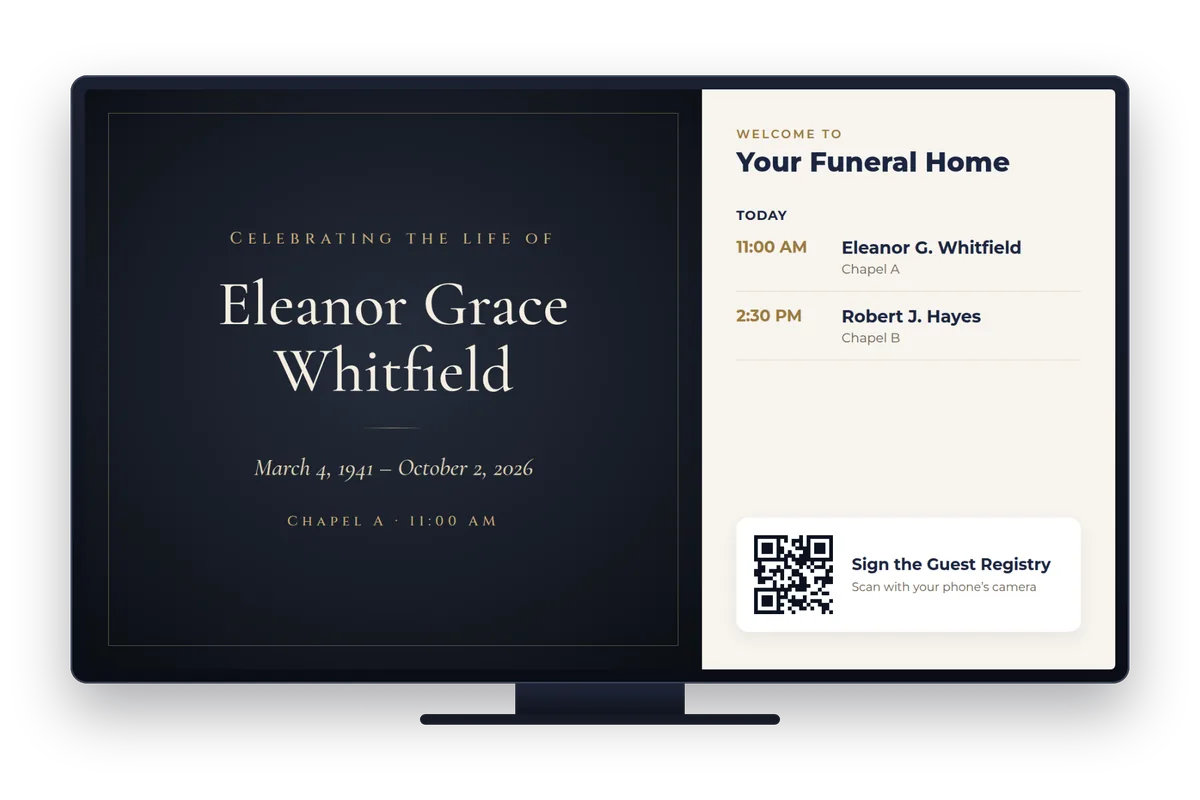
Every booked service comes on in its own look before it starts and stays until after it ends, from the same booking as the stream. Nothing is typed twice.
Here to watch a service? How to get the link
Digital signage
Lobby screens and kiosks that follow the same calendar as the stream. Each service comes on by itself with the family’s photos, the order of service and the guest book’s QR code, and your own news and sponsors take turns in between.
What plays
Every booked service comes on in its own look before it starts and stays until after it ends, from the same booking as the stream. Nothing is typed twice.
A welcome, today’s and the week’s services, the order of service with the part on now lit up, a countdown, the date, the time and the weather.
A slideshow or a changing collage of the photos the family added, when the family has said they may be shown.
Condolences and Guest Registry names taking turns, approved ones only, with a QR code to sign from a phone.
The service’s live stream on a screen in another room, and when it starts, if it hasn’t yet.
A banner on every screen at once, in seconds, for a change of room or a reception that follows.
Respectful sponsor spots and your own news take turns outside service times. None play from before a service starts until it ends.
Announcements, event posters, video, web pages, a news ticker, a map to the reception, and a memorial candle.
Designs for tall and wide screens: lobby, chapel, entrance or a kiosk.
Make it yours
Start from a ready-made design (a service welcome, a celebration of life, a visitation, a memorial slideshow, with honour for a veteran, a thank-you) and change its pictures and words, or build your own screen.
The screens
American Networking can provide the equipment and maintain it, or you can use your own hardware already on site.
Each screen’s computer sends our team a picture of what it shows and its restarts, and we look after it remotely.
Screens at every location, from one place; each manager sees only their own.
Book a short demo and we’ll walk you through a full service, from the booking to the keepsake.